28 Jun
graphics card

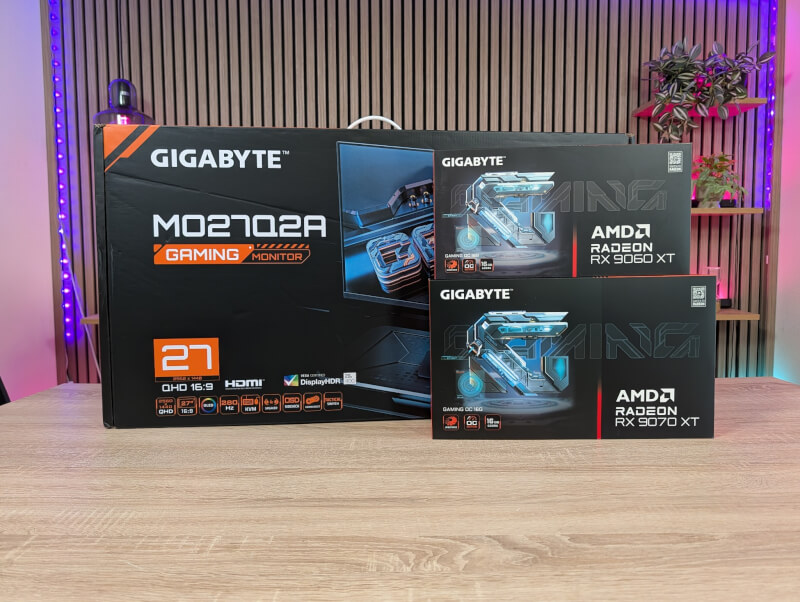
Sponsored Content - This article was created in collaboration with Gigabyte
The RX 9000 series from AMD is built on their AMD RDNA 4 architecture, which is based on TSMC's 4nm process. According to AMD's own statement, the series has focused on next-level performance and efficiency, third-generation Ray Tracing, better AI acceleration and finally, of course, improved visual quality and features targeted at streaming.
The series comes as a replacement for the previous RX 7000 series and was first presented at CES 2025. The two cards that we will take a closer look at today, namely the RX 9070 XT and 9060 XT, were presented on February 28 and May 21, 2025, respectively.
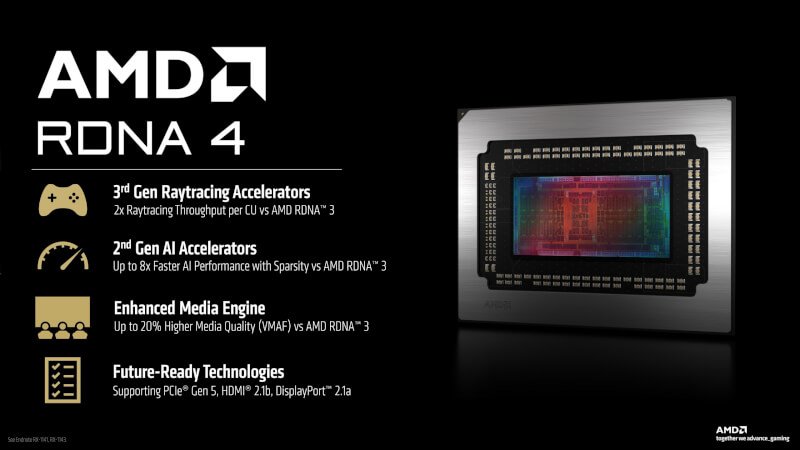
Looking at the improvements in the RDNA 4 architecture, the new compute units are equipped with AMD's redesigned third-generation Raytracing Accelerators to drive improved raytracing performance and improved image quality.
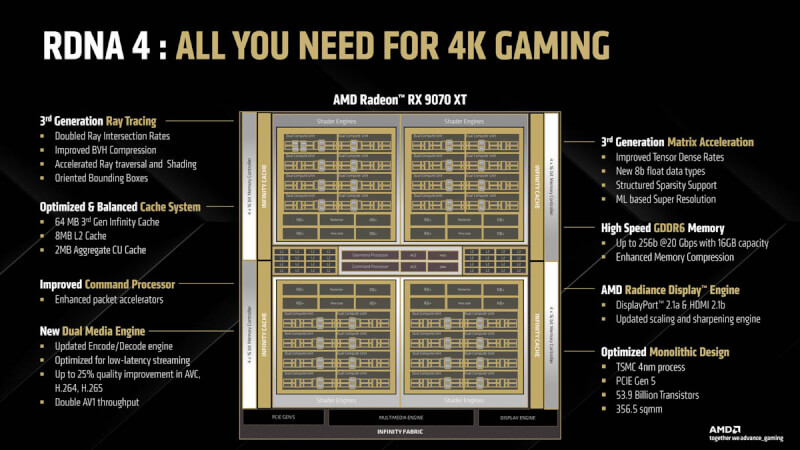
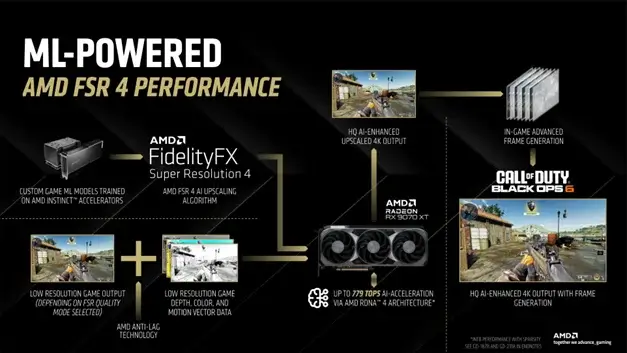
On top of that, they are joined by improved AI capabilities, which in terms of gaming are used for AMD FSR 4 upscaling technology. It is only through the hardware improvements that come in RDNA 4 that FSR 4 is possible, so it is a feature that is only available on the RX 9000 series, and therefore the two cards that we are looking at in more detail today.
We'll start with the big brother in today's review, which is the RX 9070 XT card from Gigabyte in their Gaming OC version.
Here we get 4096 RDNA Stream Processors along with 16 GB of GDDR 6 RAM on a 256-bit memory bus and a PCI Express 5 interface.
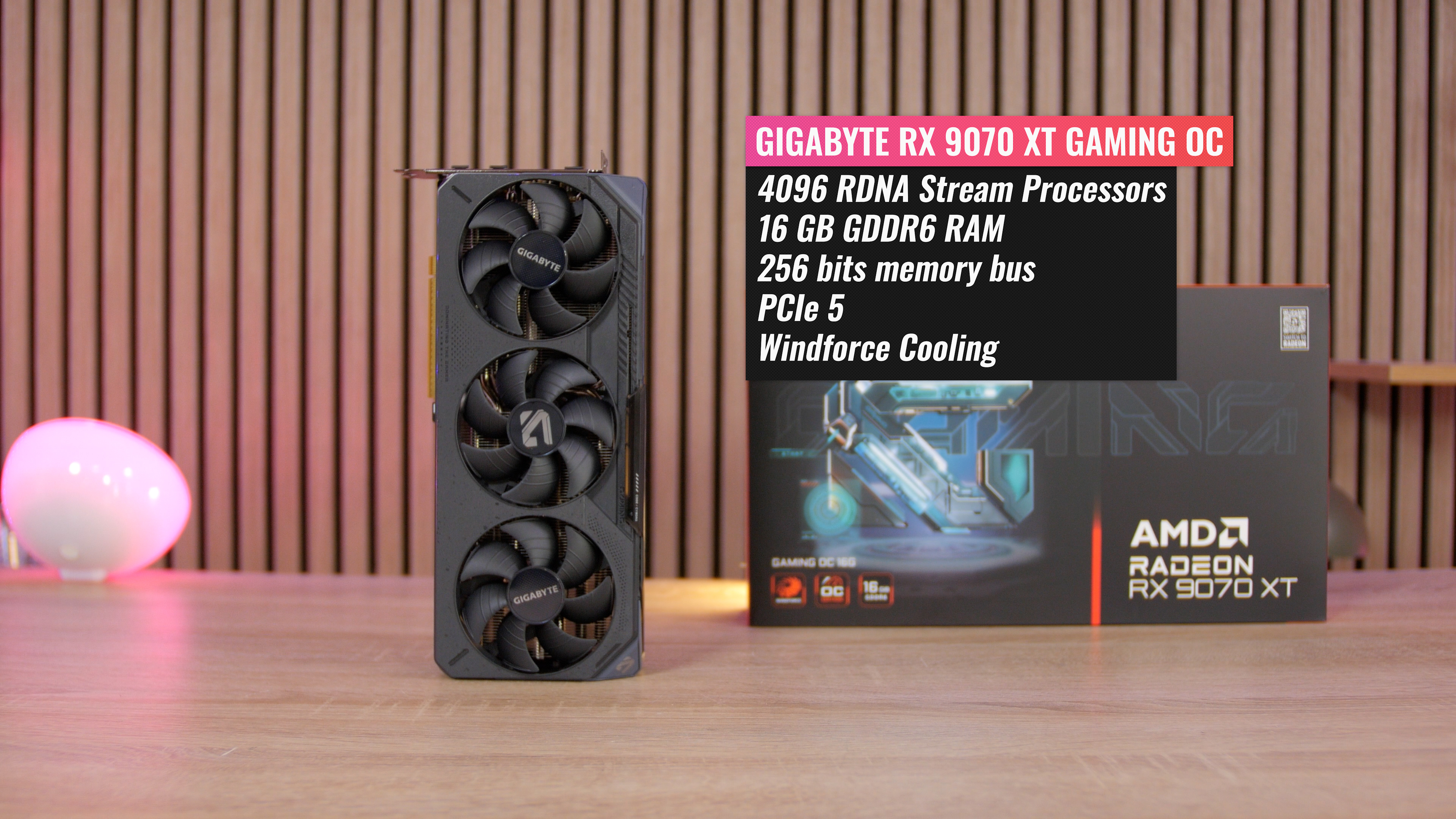
To keep everything cool under load, Gigabyte has equipped the card with their WINDFORCE cooling. It features three of their Hawk fans and a blow-through cooler design that lets airflow pass through the back of the card.
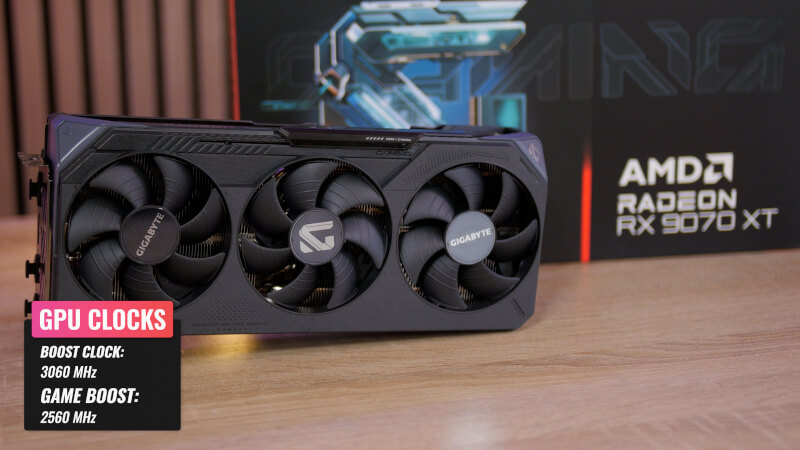
With that in mind, Gigabyte is stating an expected Boost Clock of 3060 MHz and a Game Clock of 2560 MHz. It's the latter number that's most interesting, as it's the expected performance under typical gaming loads. Here, Gigabyte is promising us 125 MHz more than an RX 9070 XT reference card, coming in with a Game Clock of 2400 MHz.
We get good connectivity options with two DisplayPort 2.1a and two HDMI 2.1b, so you are well equipped for modern high refresh gaming displays.
All of this is packaged in a subdued black and gray design without too much fuss. If you want to spice it up a bit, there's the option of some RGB lighting on the side of the card.
The second card in today's review is the little brother RX 9060 XT Gaming OC from Gigabyte. Here we get 2048 Stream Processors, exactly half as many as the larger RX 9070 XT graphics card. However, it is still paired with a solid 16 GB GDDR RAM on a 128 bits memory bus and still with a PCI Express 5 interface. There is also a cheaper version of the RX 9060 XT with only 8 GB RAM.
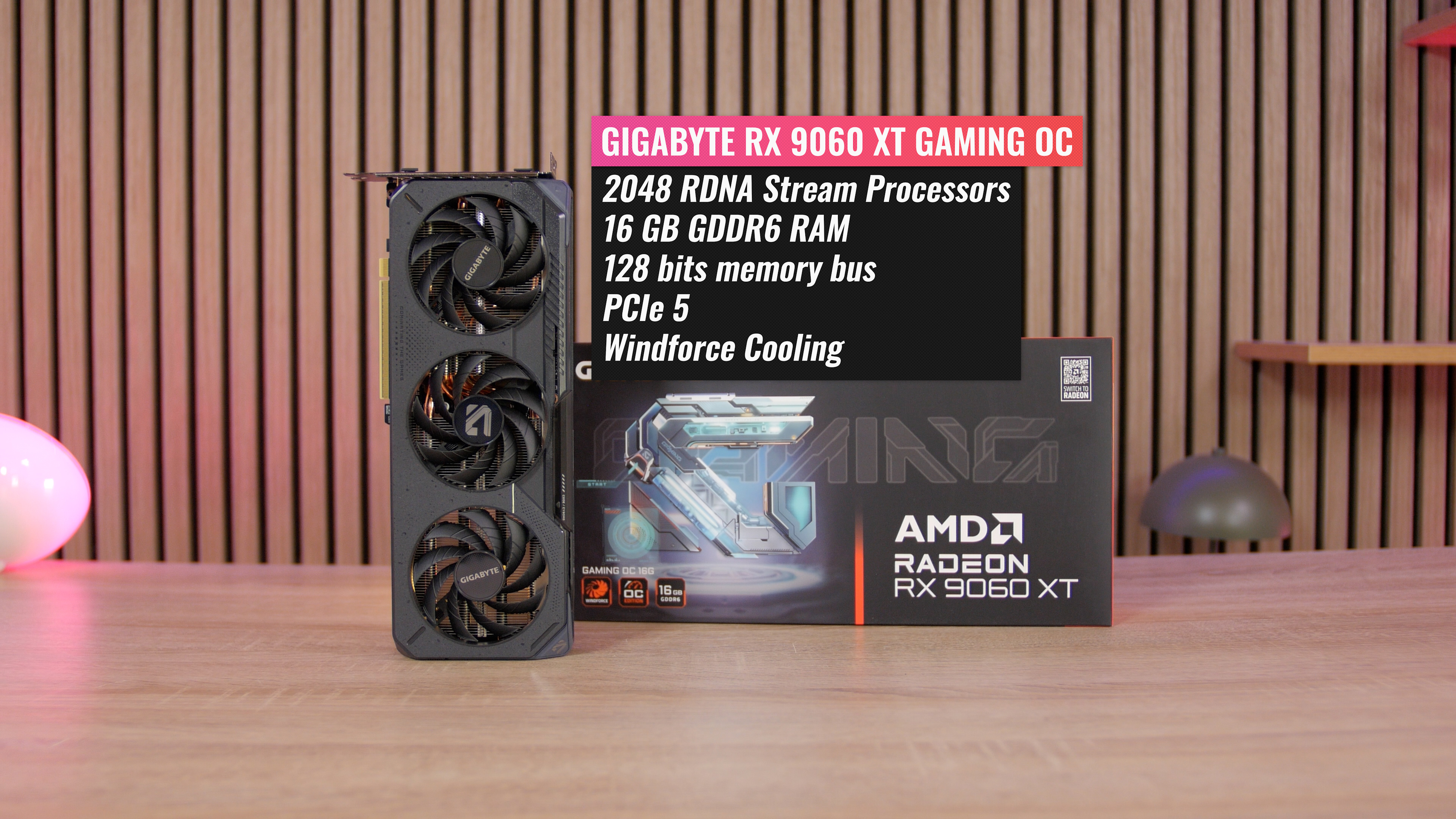
The cooling here is also Gigabyte's WINDFORCE cooling, albeit in a slightly scaled-down version to match the smaller card. We still get three of their Hawk fans and a blow-through cooler design that lets the airflow pass through the back of the card.
With the Gigabyte RX 9060 XT card, Gigabyte promises a Boost Clock of 3320 MHz and a Game Clock of 2780 MHz, so 250 MHz above a reference card.
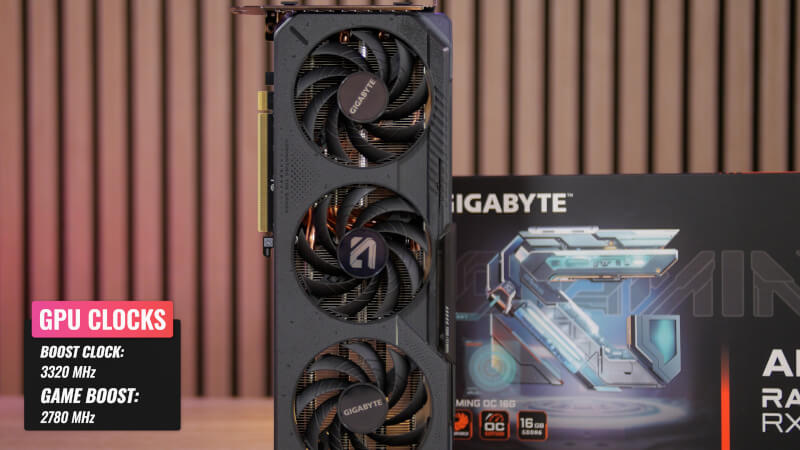
We also get good connectivity options here with two DisplayPort 2.1a and a single HDMI 2.1b.
The design also repeats itself with the subdued black and gray design with a bit of RGB, which will be easy to fit into most systems.
Talk and specifications on paper are of course all very good, but we also need to take a closer look at how the two cards perform when we throw ourselves into some gaming.
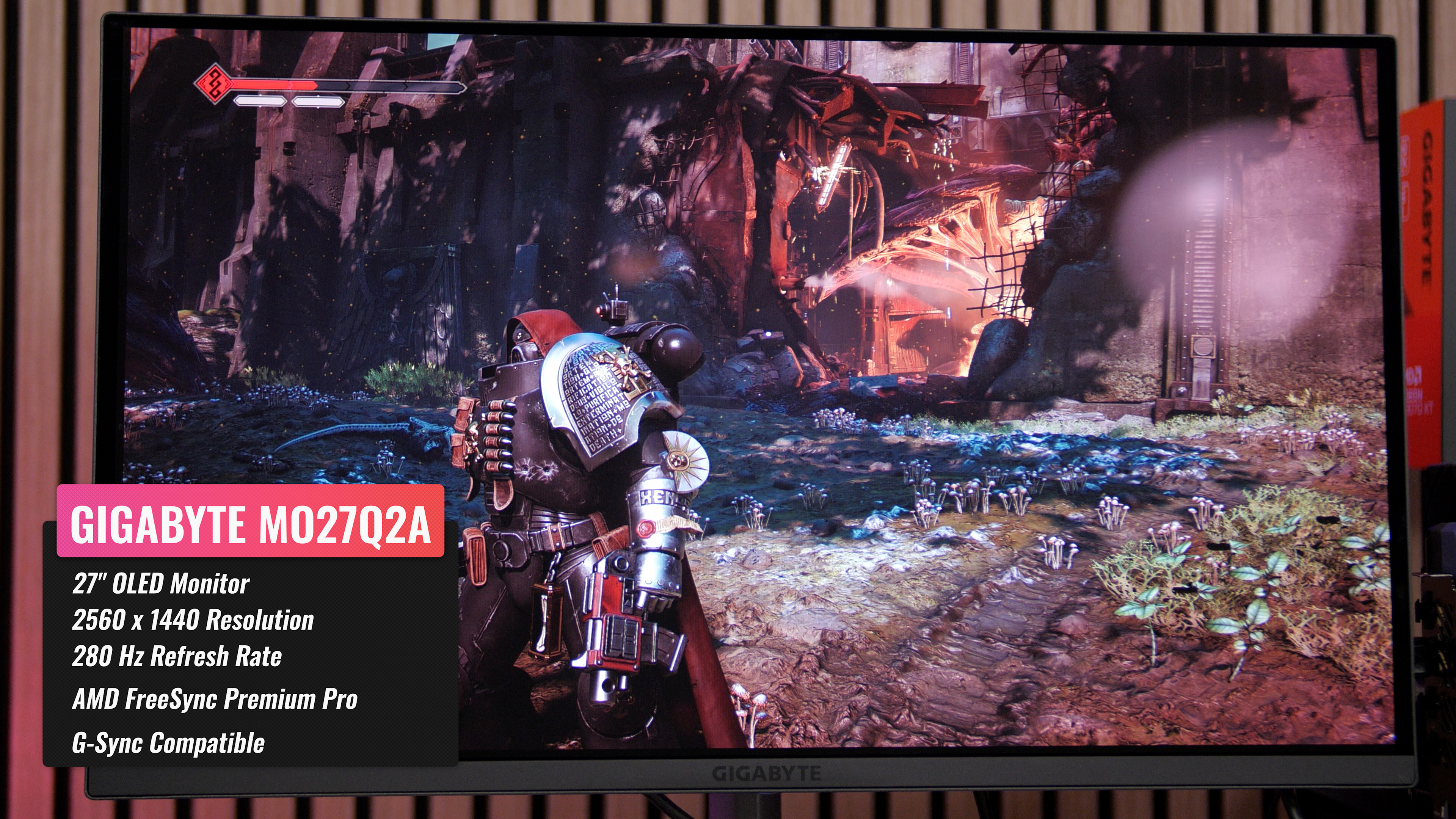
For this purpose, we are very appropriately using our AMD-based test system, and Gigabyte has also lent us one of their OLED Gaming monitors. It is their Gigabyte MO27Q2A , which with its 2560x1440 resolution and 280 Hz refresh rate, is a really good partner for the two cards we have on the table today.
The games I use are Cyberpunk 2077 and Space Marine 2. This is both because they are popular but graphically demanding games, but also because they both support the software features that we'll take a look at later with AMD's HYPER-RX and FSR 4.
We start with the RX 9070 XT Gaming OC card, which performs really well even without the use of any software tweaks, like HYPR-RX or FSR 4.
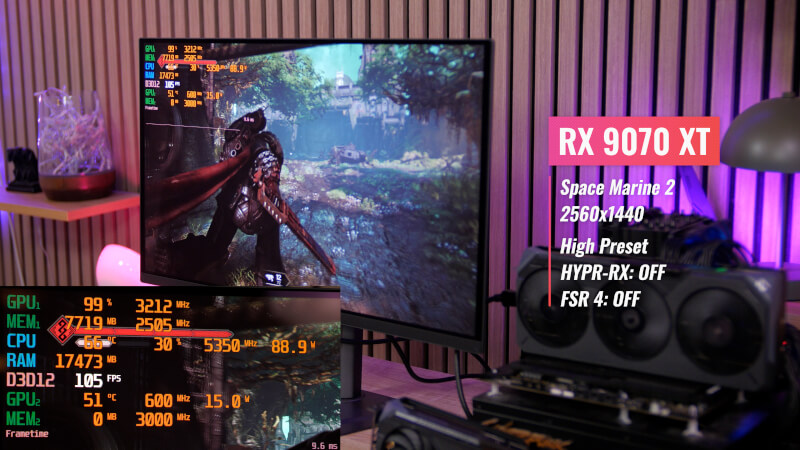
Here I got over 100 FPS in Space Marine 2 without any major problems with the graphics preset set to High. It provided a gaming experience that was super nice to look at with the good OLED screen I tested on, with the reasonable 1440x2560 resolution. It is also worth noting that the clock speeds of around 3200 MHz are a good deal above what Gigabyte promised. So we get a card that during gaming performs significantly above the 2560MHz it is listed with on Gigabyte's website.
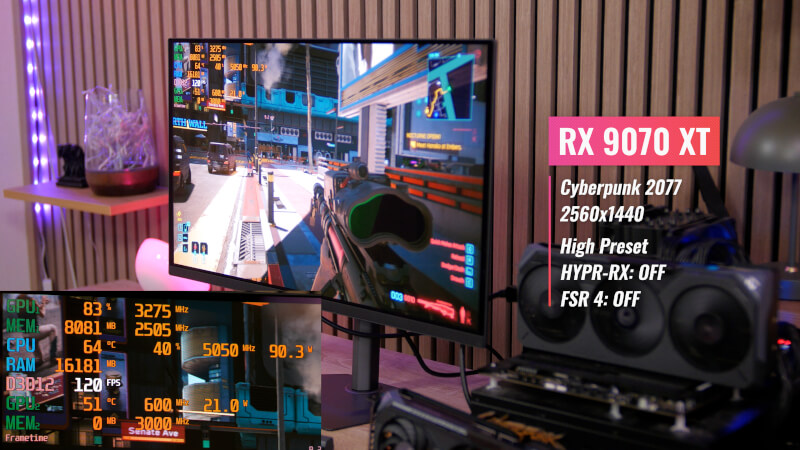
If we jump to Cyberpunk 2077, I also used the graphics preset on High. Here we can also see that we got FPS results well over 100 FPS without any problems. Naturally, without Ray Tracing.
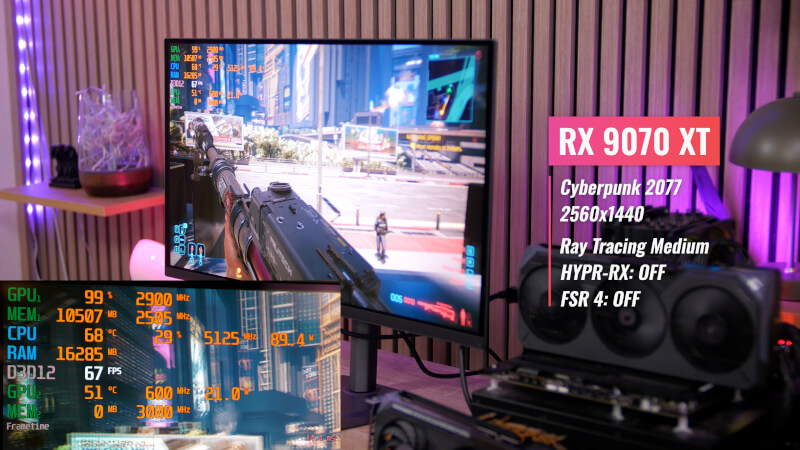
However, with the new hardware updates for the RX 9000 series, we can also easily make use of Ray Tracing features. The results can be seen here without using HYPER-RX or FSR 4, I still got stable FPS results of over 60 FPS with Ray Tracing on Medium settings.
If we jump to the smaller RX 9060 XT Gaming OC card from Gigabyte, the performance naturally drops slightly with the smaller hardware configuration.
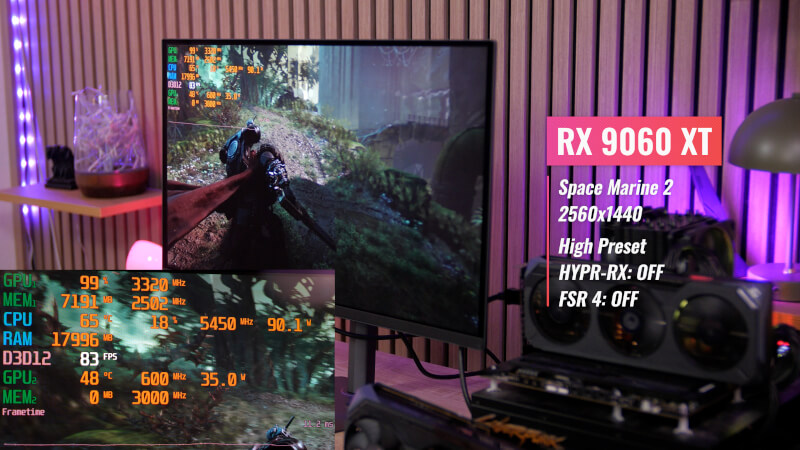
Looking at Space Marine 2, the raw results without any software boost are around 60 FPS. These are reasonable results especially when we are dealing with a graphics card in this price range. Again, it is worth noting that during gaming I saw clock speeds of around 3300 MHz, which is a good deal above the promised Game Clock of 2780 MHz, which the card is listed with on Gigabyte's website.
We are also getting solid results Cyberpunk 2077 with around 80-90 FPS on High Preset without using HYPR-RX and FSR 4.
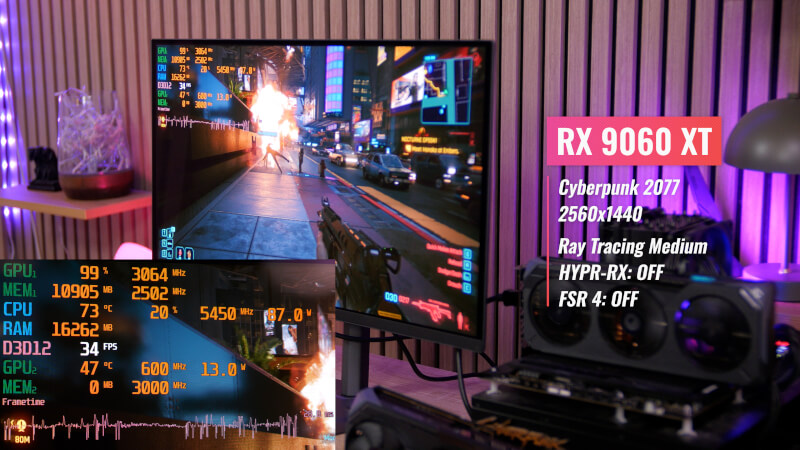
Ray Tracing The results are somewhat more subdued with results of 40-50 FPS with Ray Tracing Set to Medium. This is where the smaller hardware configuration starts to show its limitations.
AMD has created a number of software features that can help boost your gaming performance using AI. Some of them are available through AMD Adrenaline Software and AMD HYPR-RX. These combine things like FidelityFX Super Resolution 3, Anti-Lag, Radeon Boost, and AMD Fluid Motion Frames 2.1 into a single package that tunes your gaming performance.
HYPR-RX is available for a wider range of AMD RX graphics cards, but it can also be combined with FSR 4 (FidelityFX Super Resolution), which due to hardware requirements is only available for RX 9000 series graphics cards.
Fortunately, this is the case for both of the cards we are looking at today, so we have access to the full range of features.
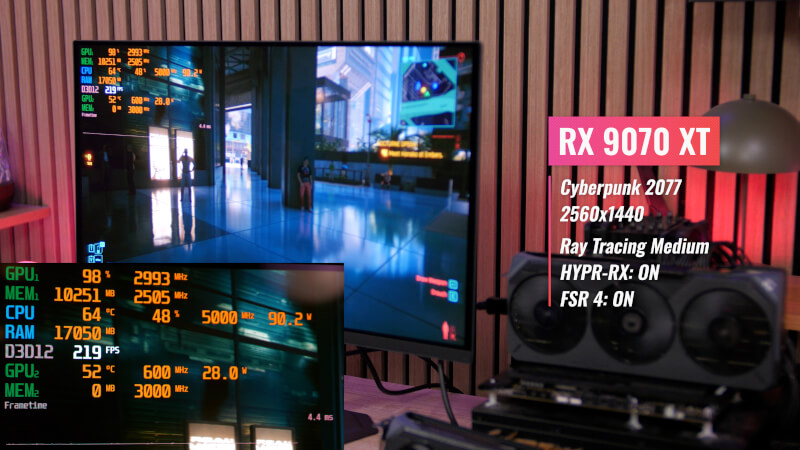
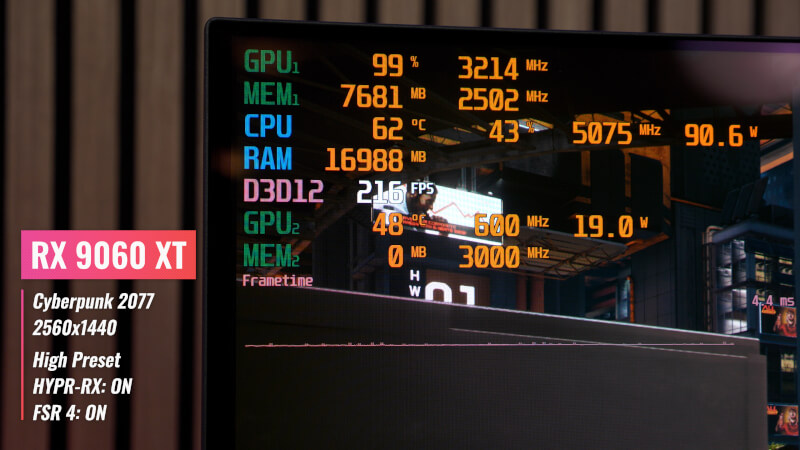
If we look at the Cyberpunk 2077 results for the RX 9070 XT card with both HYPR-RX and FSR 4 enabled, we can now see results of over 200 FPS without Ray Tracing on the high preset.
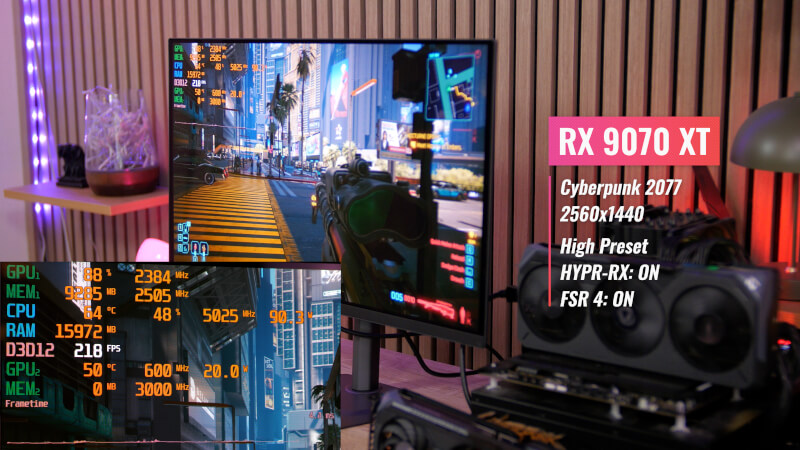
Looking at results with Ray Tracing on Medium, we still get results of around 200 FPS using AMD's enhanced Ray Tracing features and upscaling technologies.
The results for the smaller RX 9060 XT card are impressive, as the FPS result is actually pretty much in line with what I saw on the larger 9070 XT card. Here too we come in with results of around 200 FPS.
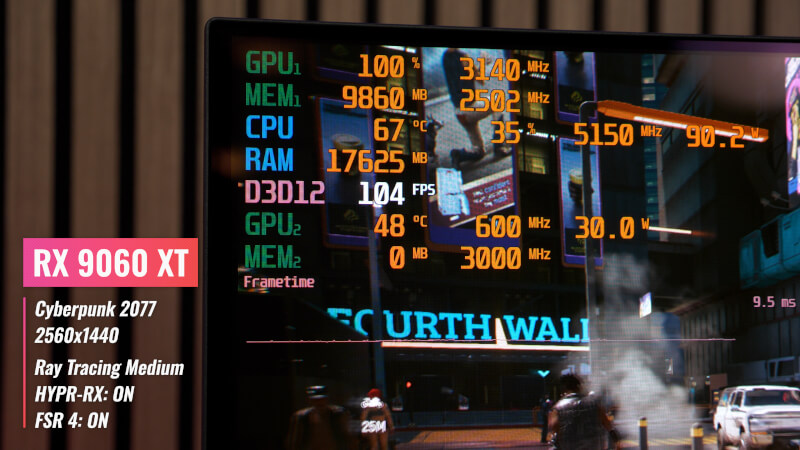
 Ray Tracing results are again the weakest point, where we get around 100 FPS with Ray Tracing set to medium on the RX 9060 Xt card. However, it is still a super solid boost compared to the performance without HYPR-RX and FSR 4.
If we move on to Space Marine 2, we can of course also see a good boost in performance.
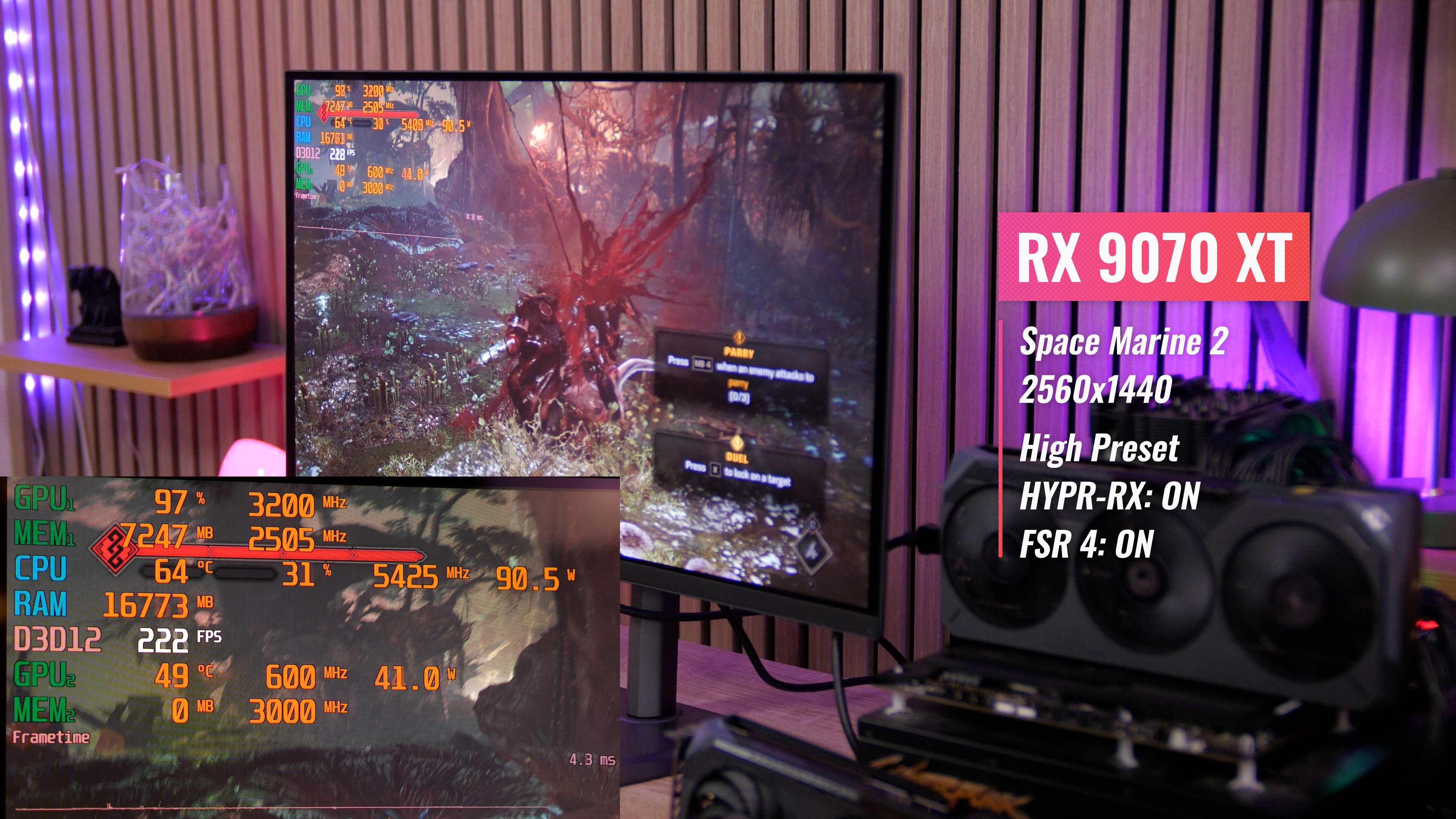
Looking at the boosted results for the RX 9070 XT Gaming OC card in Space Marine 2, we can also see a significant boost here. With the same graphics preset on High but now with HYPR-RX and FSR 4 enabled, the results are now over 200 FPS.
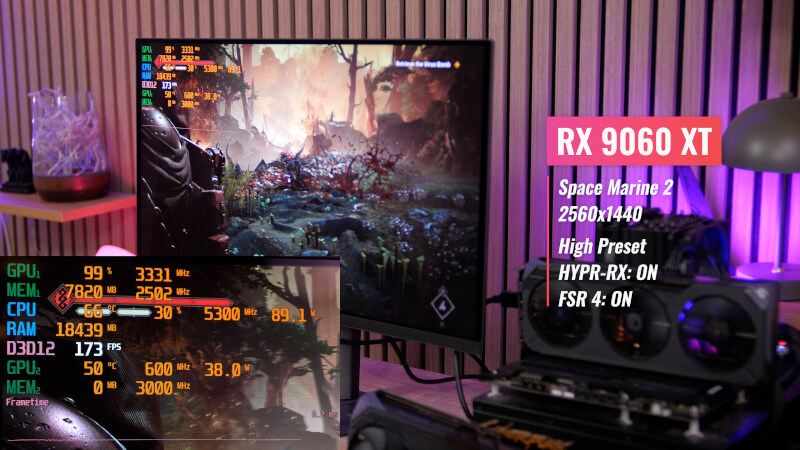
For the RX 9060 XT card, we end up with results between 140 and 160 FPS, so a boost of over 100% compared to the results without software help.
Of course, we can't avoid the fact that software tweaks like FSR 4 and HYPR-RX give us better FPS results, at the expense of some of the quality. Upscaling doesn't come without a price.
Through AMD's Radeon software and the individual games, there are quite a few options for adjusting the settings so that you can find a balance between performance and graphics quality that suits you best. The key word here is flexibility with the ability to prioritize what is most important to you in your games.
However, I will say that during my tests of the two RX 9000 cards from Gigabyte, even with the most aggressive boost with HYPR-RX and FSR 4, I still think the games looked damn good when I adjusted the settings with a focus on quality.
With that in mind, I think an FPS boost of the magnitude we've seen here with results in two fairly demanding games of over 200 FPS for the RX 9070 XT card and around 150 FPS for the RX 9060 XT card are pretty solid results.
AMD's hardware upgrades with RDNA 4 are definitely noticeable, and with cards like the RX 9070 XT Gaming OC and RX 9060 XT Gaming OC from Gigabyte here, you get two solid graphics cards for high refresh gaming at 2560x1440, as our results here clearly show. On top of that, you also get the bonus that both cards show significantly higher clock speeds than they were listed with. That's also a bonus worth taking into account.
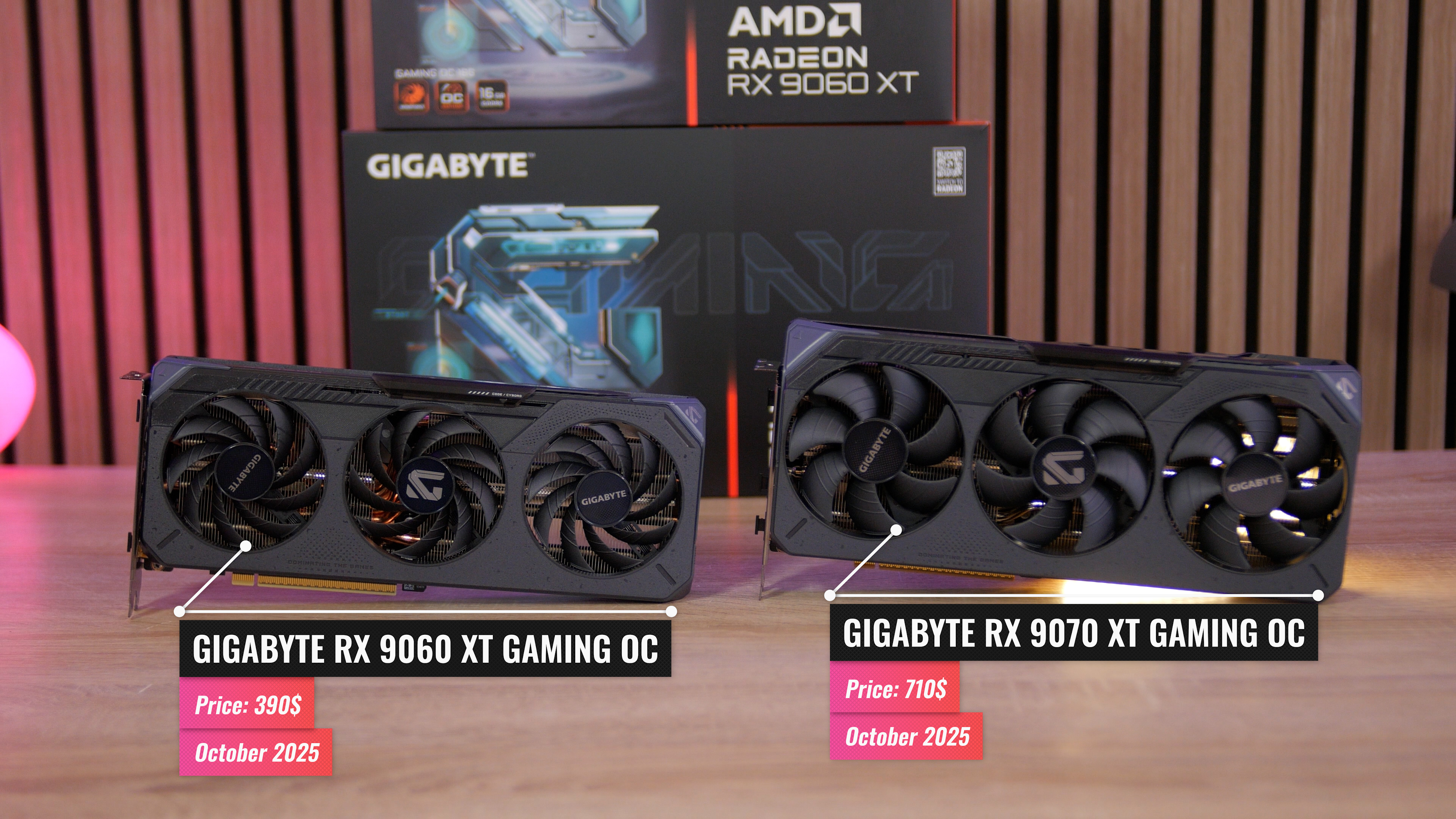
The Gigabyte RX 9070 RX Gaming OC card is currently available for around 710$, while the Gigabyte RX 9060 XT Gaming OC (16GB) is available for around 390$.