31 Oct
motherboard

Key features
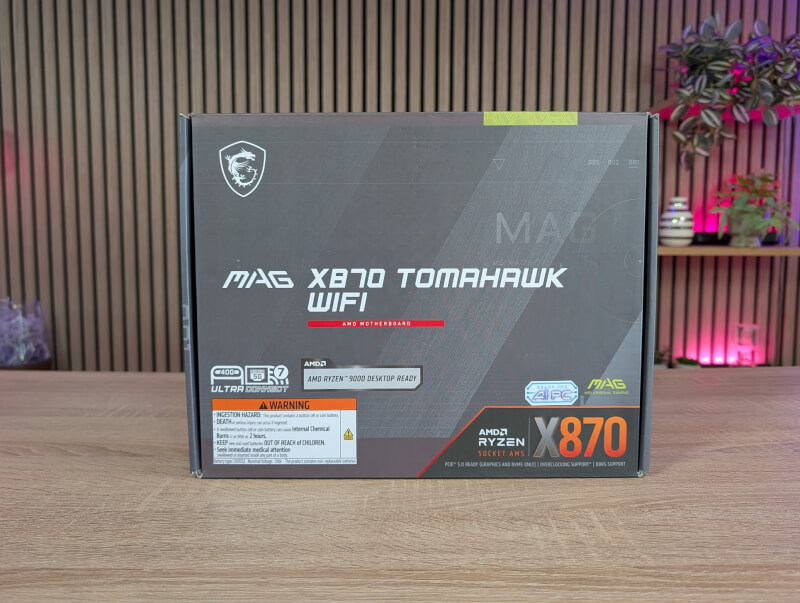
A tour around the MSI MAG X870 Tomahawk WiFi
The X870 Tomahawk WiFi motherboard follows the clear common design style that MSI has set for their Tomahawk motherboards. It was updated not that long ago and now consists of a mostly all black board, with a few smaller mint green elements, such as switches and logs. In addition, there is also a little effect created on the board by using black glossy elements on the board or matte black.
The design is overall quite subdued, although the mint green color they have chosen may not be the easiest to match if that kind of thing means a lot to you.
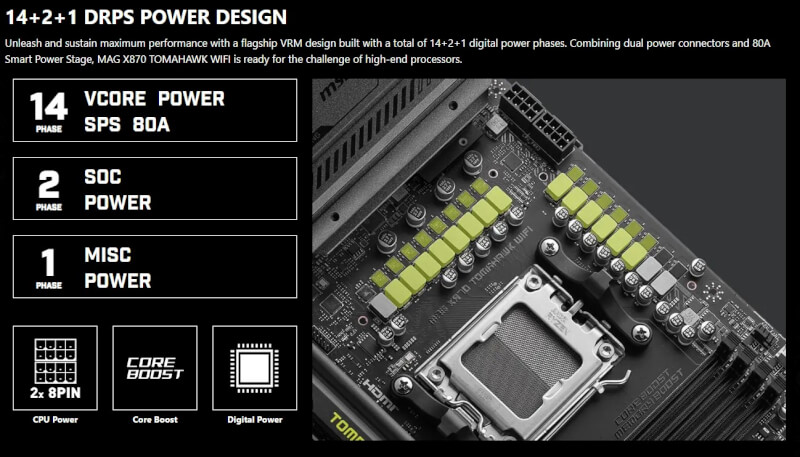
MSI has provided good solid heatsinks where needed on the card. This is of course over the large 14+2+1 Power Phase that MSI has used on the card.
It's also around the chipset and all M.2 slots, where the primary PCIe 5.0 M.2 slot in particular has a larger double-sided heatsink. Both of the two PCIe 5.0 M.2 slots have heatsinks that can be removed without the use of tools. Just press the small bracket and they're ready to take off.
The two remaining slots require you to find a screwdriver.
Speaking of tool-free solutions, we can also mention that the PCIe 5.0 x16 slot comes with MSI's Quick Release solution, where you can easily get your graphics card out by using a button that is more conveniently placed than a typical PCIe slot clip.
We get a total of three PCIe slots on the card, but as in many other cases, you should be aware that the performance on them can depend on both which CPU you use, but also what else you have on the card. For example, PCI_E3 will only run at x2 speeds if you have an M..2 device in the M2_3 slot. So read up on the manual when planning your system, to get the best out of the hardware you want to use.
The four M.2 storage options are also complemented by four SATA connectors on the side of the card.
If we look at the other internal connections, on the USB front we get a single USB 20Gbps Type C along with four USB 5Gbps Type A, distributed across two connectors and finally four USB 2.0, also distributed across two connectors.
For cooling, we get a total of eight four-pin PWN connectors for fans, one dedicated to the CPU and one is a combo connector for a pump if you want to use water cooling. The eight connectors are distributed sensibly along the top, right side and bottom of the card.
There is no RGB lighting on the X870 Tomahawk WiFi motherboard, but there are three ARGB and a single RGB connector, so you can connect a lot of RGB accessories if you want.
Other great features include MSI's Debug LED solution, which uses numeric codes to display the status of your motherboard. This is especially useful if you are experiencing problems. In those cases, you can track down the error by reading the code on the card.
If we move on to the back of the card, we also get a fairly wide selection of connections.
We get four USB 2.0 connectors, three USB 5G connectors, three USB 10G connectors divided into two Type A and a single Type C. They are supplemented by two USB 4 40G connectors which also allow for DisplayPort out.
If you don't want to use them for onboard graphics, there is also an HDMI 2.1 connector.
The network is covered by a Realtek 8126-CG 5G LAN connector along with the two connectors for the built-in WiFi 7.
The sound is handled by a Realtek ALC4080 Codec with Surround 7.1 support. On the back we get two 3.5mm jacks for the sound along with an S/PDIF out.
The back is completed with practical options via Clear CMOS and Flash BIOS buttons, which help make updating and resetting much easier.
Price
At the time of writing, I can find the MSI MAG X870 Tomahawk WiFi with an online price of just under $285. This places the board at the cheap end of the X870 segment.
Conclusion
With the MSI MAG X870 Tomahawk WiFi, MSI has created a sensible motherboard on the X870 chipset, which comes with a fairly broad and flexible feature set that will be a good foundation in most systems.
Here you get everything the average gamer needs for a powerful PC system. If you need a lot of PCIe 5 storage, you are a bit limited here, but probably few people will experience this as a real limitation.
The MSI MAG X870 Tomahawk WiFi doesn't stand out particularly well or badly compared to other X870 cards in the same price range, so MSI has played it safe.
We end up with a final grade of 8, for a solid card that doesn't stand out too much.
Benefits
Disadvantages