25 Sep
gadgets

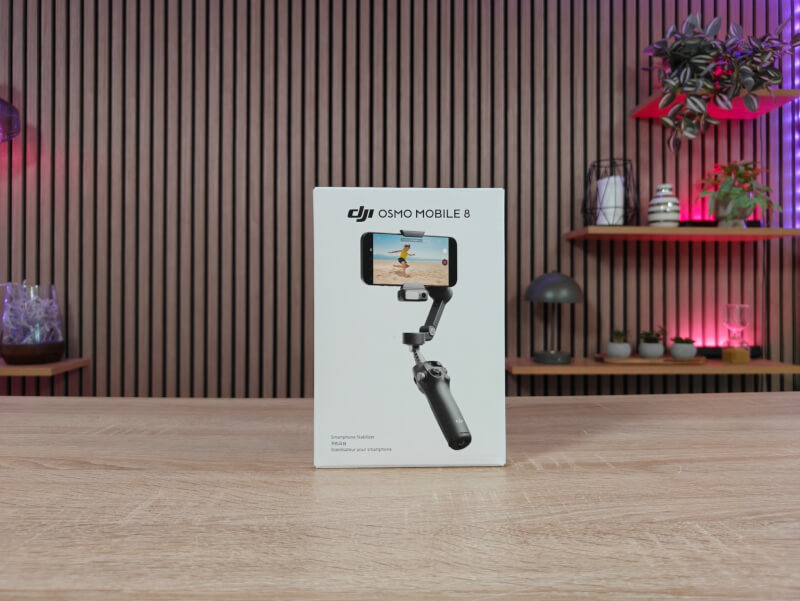
DJI hasn't changed much about the design of the DJI Osmo Mobile 8, which largely follows the same formula as previous models in the series.
It's still a unit that folds up easily for easy carrying in your bag in the included carrying pouch. We now have a built-in tripod at the bottom that can be pulled out and stored away or supplemented with a standard "¼" screw mount.
There is also still a telescopic pole built into the top, so you can get a more flexible angle for your recordings.
Your phone is clicked on via a magnetic clamp that is designed to both protect your phone from scratches and avoid pinching the buttons on the side of the phone.
The magnets that hold the clamp on the DJI Osmo Mobile 8 are strong and I feel completely confident that it can hold my phone in place during use.
The clamp also features the option for DJI's Multifunctional Module, which can be used for a variety of different things. There's a small LED light built in, which can be used to shed some light on your footage. You can quickly switch between eight different temperature settings to get the optimal light for your footage.
The device is also a piece of the tracking options that you get with the DJI Osmo Mobile 8. Here it is possible to track both people and animals through ActiveTrack 7.0.
Finally, the device also functions as a receiver if you want to connect external DJI Mic devices to the system.
The handle is as we know it from previous versions, with the control buttons easily accessible by the small status display. Via the buttons on the front it is possible to switch between different settings, start and stop recordings or control and turn the camera.
The most central control is the analog joystick, which is used to rotate, tilt, and pan the camera. Depending on what setting you have things set to, you use it to a greater or lesser extent.
There's also a button to quickly switch between the regular and selfie cameras. The same button can be used to switch the phone between landscape and portrait positions with two presses.
There is of course also a button to start and stop recording or take pictures. The last button on the front acts as a power button, and can be used to switch between the four gimbal profiles. There are Follow, Tilt Locked, FPS and Spin Shot as options.
The Follow setting keeps the camera aimed straight ahead at all times. If you tilt it to the sides, the camera is held steady on its vertical axis, but if you tilt it forward or backward (up/down), it follows your movements. Here, you can of course adjust the tilt and pan via the joystick.
Tilt Lock is almost like Follow, but as the name suggests, tilt is also locked. This means that the camera will always try to aim straight ahead, no matter how you turn and tilt things.
The FPV mode follows your movements. So if you tilt, rotate and pan, it will follow your movements.
Finally, there is Spin Shot, which is by default like FPV, but with the difference that you can use the joystick to make the camera rotate instead of pan.
On the side is a rotary knob that is used by default to zoom in on your footage. However, by pressing it once, it can also be used to control manual focus.
On the front is a single trigger-style button. It can be used to lock focus and tracking on a subject in the frame, in shooting modes that support that feature. By double-clicking the button, it can be used to return the phone to a centered starting position.
What all four settings have in common is that the DJI Osmo Mobile 8 constantly ensures that you create a smooth movement. So even if you move quickly between point A and point B, it compensates for this and creates a smooth movement. You can adjust how fast things should go in the software based on your needs.
Although you can use the DJI Osmo Mobile 8 with the regular camera app on your phone, you definitely get the most functionality from using the DJI Mino app.
It connects via Bluetooth to your phone with the DJI Osmo Mobile 8, so you can use the buttons to control the recordings.
DJI Mimo is the unified app for multiple devices from DJI. So it is also the entry point if you have their Action camera for example. This means that it is not targeted at the DJI Osmo Mobile 8, and therefore there is a lot of content in the app that is not relevant if you do not have the associated devices.
When you connect things via Bluetooth and turn on the DJI Osmo Mobile 8, a message automatically pops up in the app and you can jump directly to controlling the device.
Even though you have some of the most central controls available via the physical buttons, there is still a lot that needs to be selected and controlled via the app.
There are a ton of different settings and modes to choose from. It's everything from Hyperlapse to panoramic shots to Story mode, which is targeted at Instagram stories, complete with quick templates for snappy SoMe content on the go.
In addition to the individual shooting modes and their settings, there are a lot of instructions and guides baked into the app. You can use them as a step-by-step recipe, or just as inspiration, to get the most out of your DJI Osmo Mobile 8. It's pretty well put together with tips and a complete list of shots that fit into the different templates.
Overall, there are a lot of great features built into the app, in addition to the usual video and image options.
One of the best is the ability to select an object or person in the image and then let the app track it. Simply tap on the person or drag a box over the person or thing you want to track.
The app then ensures that the subject stays in focus and is central to the image. So, for example, if you use your phone to record travel vlogs, you can have it track your own face in selfie mode, and the DJI Osmo Mobile 8 gimbal part will automatically follow you as you move around the image.
The tracking function has become really good and can even track people or animals moving behind things for a shorter period of time.
When you're ready to cut it all together, there's also an editing function in the app. Here, it's possible to combine multiple clips on your phone, trim them, and add music, graphics, and more. This can be done either via different templates, or without the help of anything other than your own creativity.
There's even an option to let the app do it automatically using AI. You can choose a selection of clips, and then let the app come up with a suggestion for a cut with music, color grading, and all. It doesn't always hit the mark, but if nothing else, it can be a good starting point that you can adjust yourself afterwards.
The only major downside to the DJI Mimo app, however, is that it is not officially available in the Google Play Store. This means that users like me who use an Android phone have to download the app and get it on their phone as a sideload.
It's not a challenge for a tech nerd like myself, but it does take away some of the usability for people who may not be as well-versed in this kind of thing. Especially since DJI doesn't pay much attention to it.
At the time of writing, I can find the DJI Osmo Mobile 8 with an online price of just under $150.
DJI has been continuously upgrading their Osmo Mobile series in a positive direction, with the latest step in the series being no exception.
If you already have a 6 or 7, it may not be entirely necessary to upgrade, but if you are in the market for a gimbal for your smartphone recordings, the DJI Osmo Mobile 8 is a really good deal and you get a lot for your money.
There are of course the advantages of stabilization, but as smartphones themselves have become really good at it, it has almost become a bit secondary.
However, I think the possibilities for really good tracking are very valuable, and here the DJI Osmo Mobile 8 does a great job. This is both when you are holding the device yourself during use, but also a plus if you are, for example, recording yourself.
Here, the built-in tripod, together with the option for 360-degree tracking, means that you can get really good recordings completely automatically if, for example, you need to record videos for presentations, teaching or similar.
We end up with a final score of 8 for a super solid Gimbal solution for your mobile phone.
Benefits
Disadvantages