18 Sep
keyboard

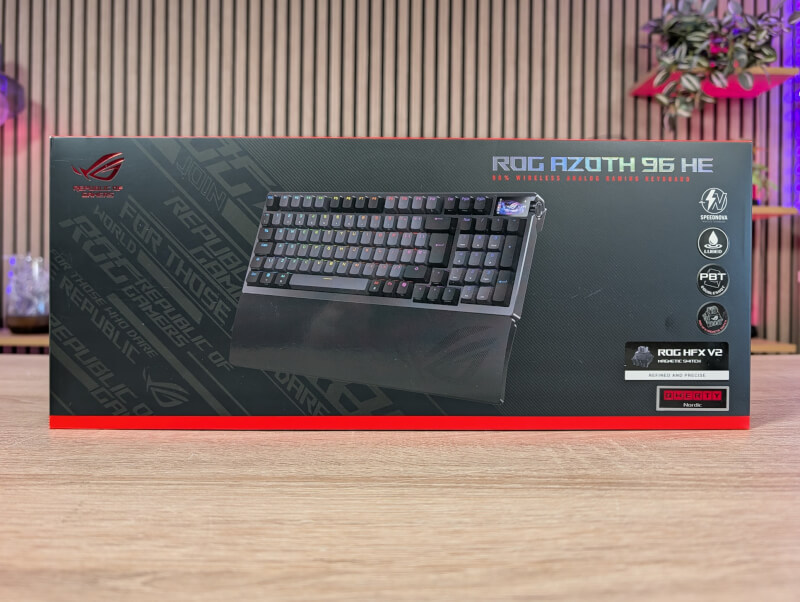
ASUS is naturally in the gaming mode with Hall Effect switches and the option of up to 8000 Hz polling rate.
What's new with this addition to the Azoth series is a 96% sized keyboard. This means we get a numpad for those of us who, like myself, often use it for work. However, it's still a keyboard that's a bit more compact than a real full-size keyboard.
Even with new features on the hardware side, ASUS has wisely stuck to the design style of the ASUS ROG Azoth 96 HE. Personally, I have always liked the design of the Azoth series.
It's a black and grey combination without too much fuss. The materials and build quality are super nice and solid all the way around. The entire keyboard is made of a CNC machined aluminum alloy and topped with double shot PBT keycaps.
All of this also means that the weight has increased, now landing at just around one and a half kilos. The whole thing feels solid and there's no hint of flex or creak in the Azoth 96 HE, which again feels like a tank of a keyboard.
There is of course RGB lighting in all keys, which can be customized for each individual key in the software. We also still get a small display in the right corner of the keyboard. It is a full-color OLED Touch Display. Here you can choose from a variety of different things such as animations, PC information or media information.
On the control button next to the screen, you can choose what the button should control, such as volume, RGB light, media, etc., while the rocker button is used to switch between the selected settings or stop/control volume and media.
At the top of the keyboard is a USB-C port for charging and connecting via cable if you wish. There is also a button that can switch between connection via USB Dongle, Bluetooth or cable, along with a small space for storing the included USB Dongle.
Also included in the box is a silicone wrist rest. It has an incredibly comfortable surface, and feels just as solid and solid as the rest of the Azoth 96 HE.
Along with the wrist rest, there is also a tool to remove both keycaps and switches from the keyboard. There are also a few extra keycaps for selected buttons. They are made of transparent plastic with a slightly more gaming-inspired look than the normal keycaps. Personally, I don't like the style, but that's of course a matter of taste.
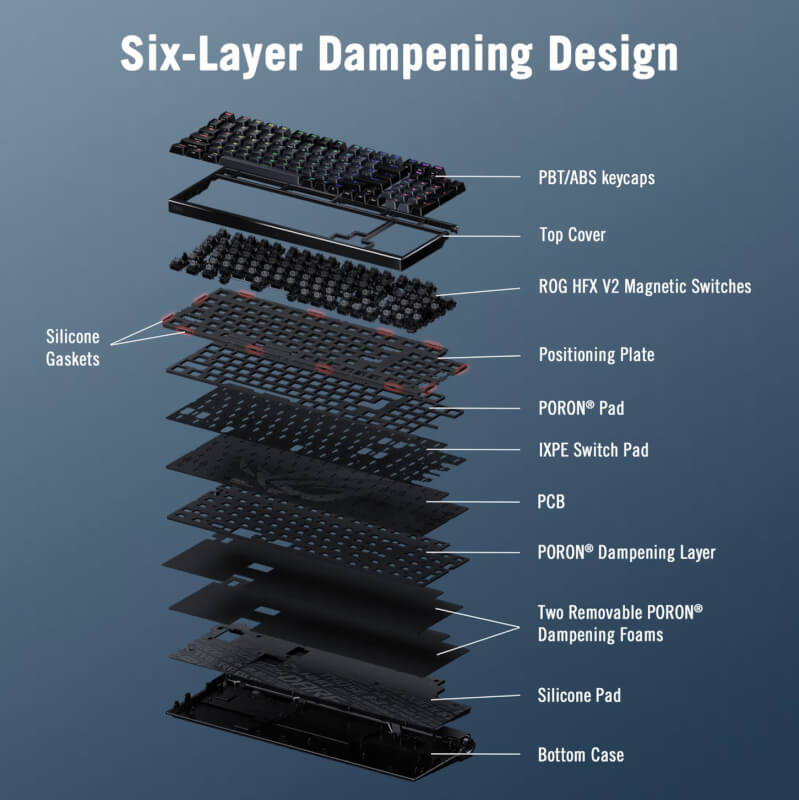
The interior of the Azoth 96 HE is also well-made. There are a total of six different layers, all of which help to dampen the sound from the keyboard. It is a combination of silicone and no less than four layers of PORON.
As we've seen before, ASUS has moved the customization of their devices to their web-based solution, Gear Link. This means you no longer need to install separate software, as was previously the case with ASUS ROG Armoury Crate.
However, you still have all the same options for fitting all the many possibilities with the ASUS ROG Azoth 96 HE.
It's all the normal stuff like customizing the RGB lighting and the functions of the individual keys. Here alone, there are plenty of options to customize the functions exactly as you want.
The more important thing for most people who buy a keyboard of this type, however, is probably the many options that you get with an Analog Hall Effect keyboard, and of course there are plenty of options with that too.
You can set the actuation and reset distances for each key yourself, so you can get a keyboard that responds just the way you prefer.
You can adjust things from 0.1 mm up to 3.5 mm, so there's a reasonable range to work with. You also have the option to set a Dead Zone for the keys at both the top and bottom.
There are of course also options for Rapid Trigger and Speed Tap, to take advantage of all the possibilities with Hall Effect switches. As always, it is worth remembering that not all games allow all the possibilities, which can lead to bans.
Overall, there are a ton of options with ASUS' Gear Link software, and it works just as well as their dedicated software in every way.
I actually prefer it this way because ASUS hasn't bundled a lot of other things into the software experience here. There's no Wallpaper store, Game First features or anything else. Here you only find what you need for your device and as soon as you're done customizing things, the settings are saved locally to one of the five profiles in the keyboard, and you can close Gear Link. After that, there's nothing running in the background in Windows and sucking up resources.
I've been using the ASUS ROG Azoth 96 HE for a few weeks with both my desktop PC and my laptop for a broad mix of both regular desktop navigation and work, and then of course spiced up with gaming.
The overall experience of using the ASUS ROG Azoth 96 HE is among my favorites. With the ROG Azoth 96 HE, ASUS has continued the good trend in the Azoth series with a feature-rich keyboard with top-notch materials and build quality.
The ASUS ROG Azoth 96 HE looks and feels like a luxury product. It may not be quite as “over the top” as the Azoth Extreme, but it’s still solid and stylish.
The typing experience is super good and responsive, and now that the numpad part is also included, it is a somewhat more practical keyboard to have on the table for work as well.
The good typing experience also means you get a great gaming experience. This is even more pronounced when you get a wealth of gaming features, which the Hall Effect switches make possible.
Individual customization of each key is incredibly flexible and means you can get a keyboard that should satisfy most people.
As I've mentioned in other reviews, the 8000 Hz polling rate option doesn't make a difference to my games. If I were to actually sit down and compare one to the other, I might be able to sense a difference, but during a real gaming session it's not something that moves anything or improves my score in Call of Duty. Here, my skill level is simply not high enough for it to move the margins in any meaningful way.
That said, the ASUS ROG Azoth 96 HE does provide a top-notch gaming experience. The tool is not essential, but it is still nice when it is implemented in high quality and at the same time looks good.
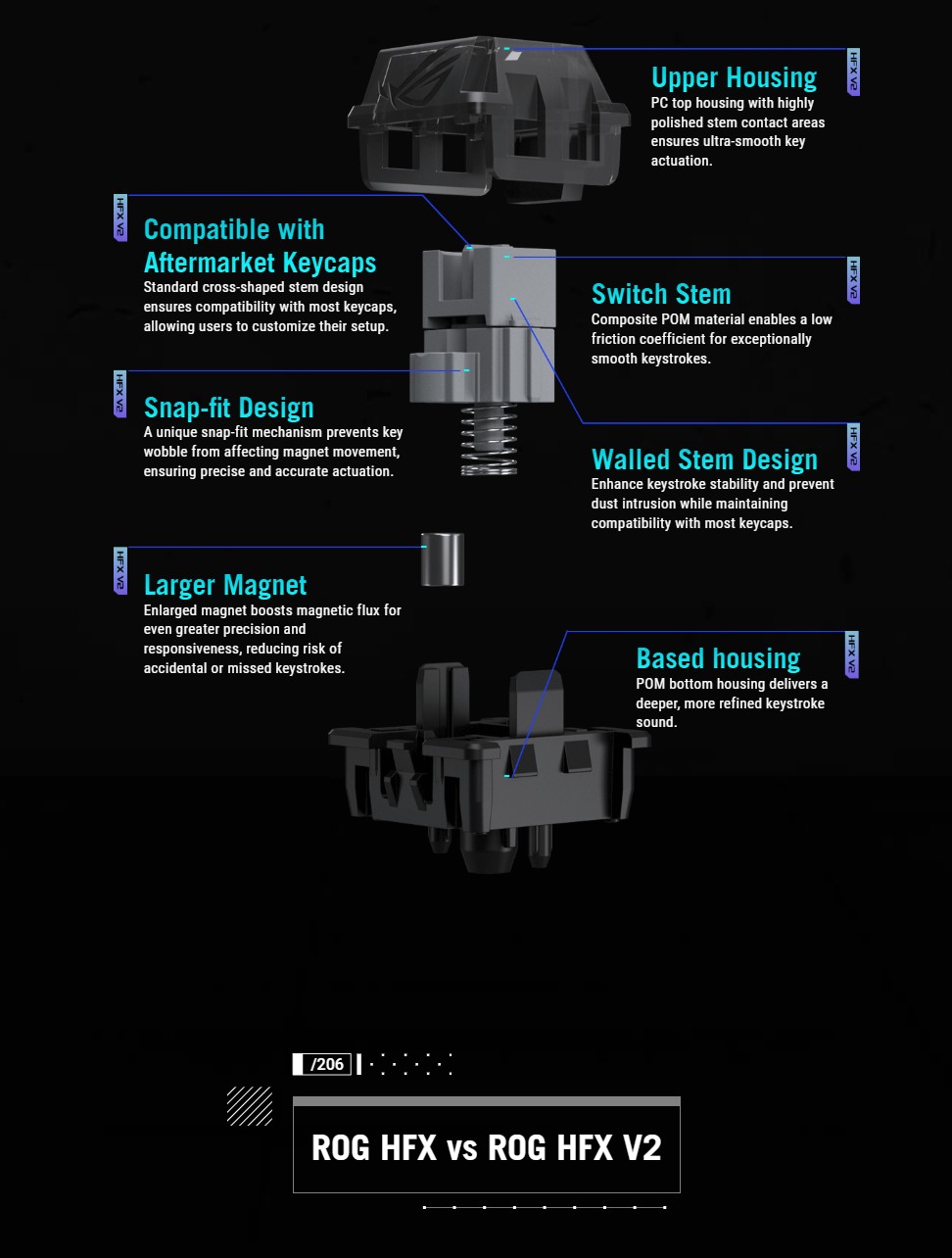
At the time of writing, I can find the ASUS ROG Azoth 96 HE for around $360. This means that we are at the very top of the price range for Hall Effect keyboards. It is a level that is pretty much only found by ASUS, with their ASUS ROG Azoth Extreme, which is pretty much the only keyboard I can find that costs more.
The ASUS ROG Azoth 96 HE is a truly beautiful keyboard from top to bottom with good materials and good features.
Technically, there's nothing wrong with it, and personally I also think the design is just how I prefer it.
However, I have a hard time coming to terms with it when it comes to a price of around $360. For comparison, you can get the Corsair Vanguard Pro 96, which is admittedly not wireless, around $200 cheaper and I definitely don't think there is THAT big a jump in quality.
That said, the jump to a wireless 8000 Hz solution will obviously cost more than a wired alternative, but when ASUS' own ROG Falcata Keyboard or Razer's Huntsman V3 Pro 8KHz can be had for around $160 cheaper, the price still sticks out a bit. We can't get around the fact that it's currently one of the most expensive gaming keyboards on the market.
We end up with a final score of 8 for a nice and well-made keyboard, which however costs the same as a mid-range graphics card.
Benefits
Disadvantages