18 Sep
keyboard

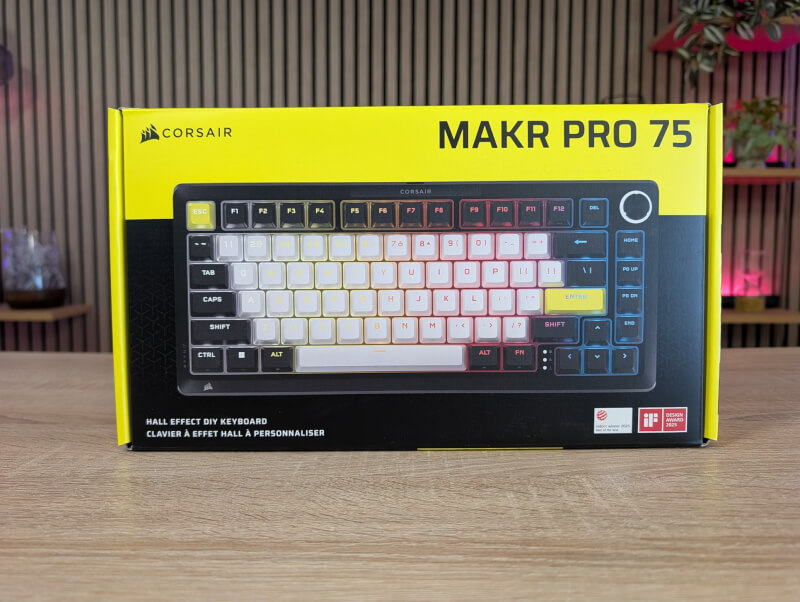
Although the Corsair MAKR PRO 75 comes with everything you need to get started, there is the option to customize it if you want, for example with alternative switches.
The Makr Pro 75 is a wired, pre-assembled keyboard in a compact 75% layout. This means you keep the arrow keys and a row of navigation buttons as well as the F-keys, while the numpad is cut off to make more room for the mouse.
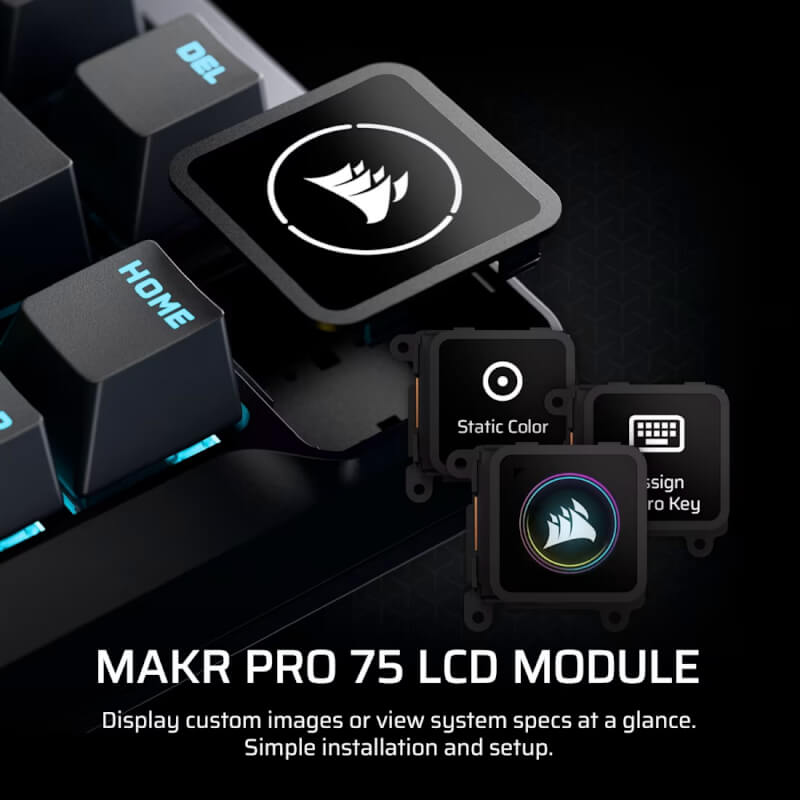
The build quality is undoubtedly premium. You get a massive frame made of pure aluminum, assembled with visible Allen screws, giving a combat weight of a whopping 1.28 kg. In the upper right corner is a rotating wheel, which can actually be clicked off and replaced with an LCD display (which is purchased separately).
Under the beautiful double-shot PBT keys (in Corsair colors white, black and yellow) we find the heart of the keyboard: Corsair's own MGX Hyperdrive magnetic Hall Effect switches.
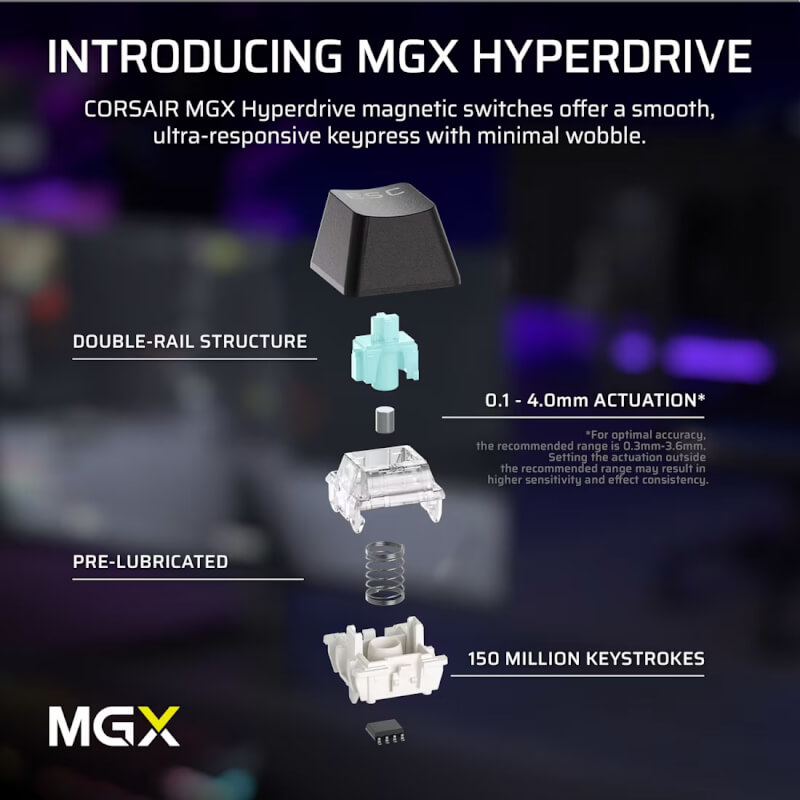
The colors may not be to everyone's taste as it is a fairly specific Corsair combination but personally I think it looks good on the table. If you have other Corsair products then things will match nicely. The switches do come with standard Cherry stems though so if you want to replace them it is quite easy to do.
Because the switches use magnetism instead of physical metal contacts, you can control exactly when a press is detected, from 0.1mm to 4.0mm. They also support hot-swapping, so you can swap them out, but only with other magnetic switches.
The box includes a braided USB-C cable, a tool for removing keys and switches, and two magnetic feet that allow you to change the typing angle, a rare and welcome detail on pure aluminum keyboards.
At the bottom there is also a small switch that can be switched between PC and Mac.
Here in the Nordic version, interchangeable keycaps are included for Ø and Æ, but in our samples there were two Øs, which I assume was a mistake.
One of the most interesting news is that Corsair has started to move away from their heavy iCUE software. The Makr Pro 75 is primarily configured via their new web-based app directly in the browser.
This is where the magnetic switches unlock the magic. You can adjust the actuation point of each key, enable Rapid Trigger (so the key resets as soon as you lift your finger even a millimeter), and set up FlashTap (Corsair's version of SOCD that prioritizes your presses for perfect "counter-strafes" in shooters).
However, it is a feature that you should be aware of, as it is not allowed everywhere and in the worst case can lead to bans.
This is also where you control the RGB lighting, macros and refresh rate. The keyboard comes with a polling rate of 1000 Hz, but you can crank it up to a lightning-fast 8000 Hz if you want absolutely minimal lag.
The typing experience on the Makr Pro 75 is generally very comfortable. The switches are smooth and stable straight from the factory. Corsair has stuffed eight layers of sound-deadening material into the chassis and used a stiff FR4 board, which results in a very crisp and "bright" sound profile. It sounds significantly better than most standard gaming keyboards, although some enthusiasts will probably prefer a deeper sound ("thock").
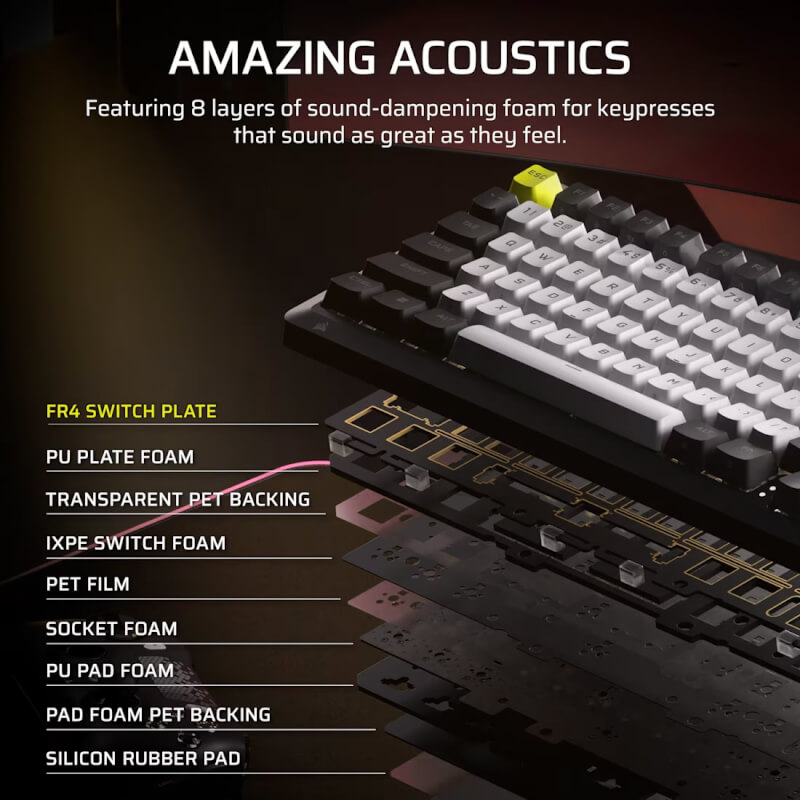
When it comes to comfort, however, the experience is only "okay." Even though the keyboard uses a gasket mount (where the innards are suspended in small rubber gaskets to give way), it feels incredibly stiff to type on. Combined with the high OEM profile keys, it can get a bit tiring during longer typing sessions.
Personally, I also prefer keyboards with a lower profile, especially for typing. This is where the Corsair MAKR PRO 75 falls short. It might have helped if a wrist rest had been included in the box.
In games, it's a different story. This is where the keyboard shines. The combination of Rapid Trigger, FlashTap, and 8000 Hz polling rate gives you all the technical advantages you could dream of in competitive games. A big complaint is the lack of a simple "Game Mode" button. To lock the Windows key so you don't accidentally get kicked out of the game, you have to go all the way into the Web app to activate it. It's simply too much hassle for a keyboard in this price range.
The Corsair MAKR PRO 75 doesn't make me a much better gamer, though. Even though on paper there are many advantages to things like Hall Effect switches and things like Rapid Trigger and FlashTap, all else being equal, they only make marginal improvements.
If that kind of thing is to be decisive, then you already have to have a high level, which I must admit that I don't have.
That said, the experience with the Corsair MAKR PRO 75 is still good and I haven't had a single complaint about the performance.
At the time of writing, I can find the Corsair Makr Pro 75 with an online price of $249.99. So it is definitely not a cheap experience. However, it lands roughly in the same price range as similar keyboards with Hall Effect switches and is not close to being the most expensive “custom” stature we have tested.
The Corsair Makr Pro 75 is a solid and incredibly well-built magnetic keyboard that feels and sounds like a true custom board. It gives you the latest technological advantages for gaming, and the web-based software is a breath of fresh air.
But if we look at it with enthusiast glasses on, it's hard to ignore the price. Corsair demands a premium price, but lacks basic "gamer" features like an easy Windows lock. At the same time, the competition is fierce: A keyboard like the Keychron Lemokey L5 HE - 8K 75% also offers magnetic switches and 8000 Hz Pooling Rate and I can currently find it for $209.99.
The Makr Pro 75 is a strong product, but unless you're deeply invested in Corsair's ecosystem and their modular expandability, you can get more bang for your buck elsewhere.
We land on a final grade of 8, for a well-made and stylish keyboard with the latest features, which, however, loses a bit in price compared to similar alternatives.
Advantages:
Disadvantages