23 Jul
monitor

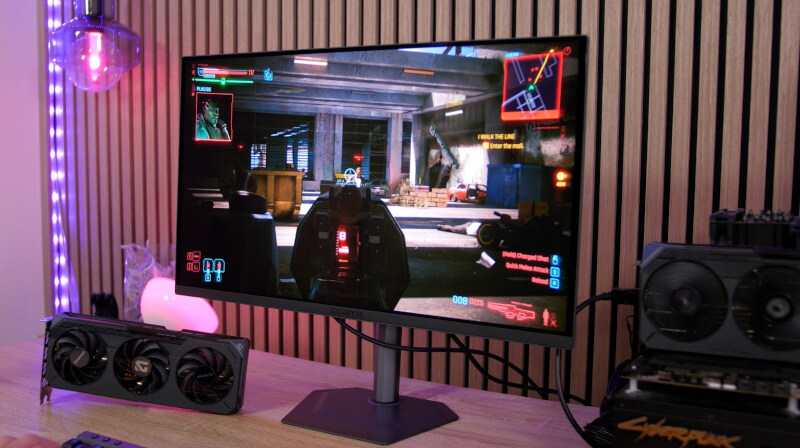
SPONSORED CONTENT - This article was created in collaboration with Gigabyte
While a good graphics card is obviously important for a good gaming experience, the screen is also an incredibly important element. After all, it is through the screen that our eyes are fed all the delicious frames and visual effects that the graphics card generates.
With the Gigabyte MO27Q2A you get a gaming monitor that is packed with features aimed at a good gaming experience.
If we start with the central one, it is a 27” QD-OLED screen that comes with a 2560x1440 resolution and a refresh rate of 280 Hz.
This provides a really good starting point for a great gaming experience, and if you combine it with a response time of 0.03 ms, which QD-OLED allows for, along with both AMD FreeSync Premium Pro and G-Sync Compatible support, you are ready for gaming without screen tearing, regardless of which graphics card you have.
The gorgeous QD-OLED panel, with the deep blacks that OLED enables, combined with an HDR Peak Brightness of 1000 nits, provides a visual contrast that is hard to beat. This, combined with the beautiful 10-bit colors and a 99% coverage of the DCI-P3 color gamut, provides a gaming experience full of colors and contrast.
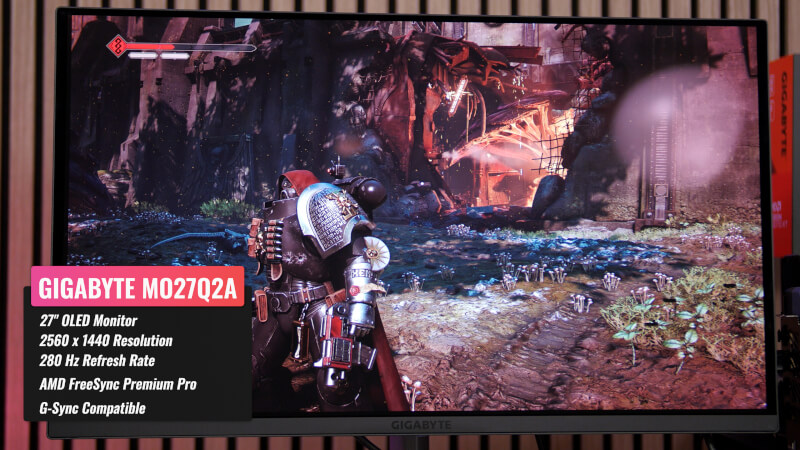
The design of the Gigabyte MO27Q2A is stylish but subdued and doesn't scream in it's design language too much with "loud" gaming features. So we get a gaming monitor that will also fit nicely into the home office without sticking out.
The screen comes with a solid stand that allows us easy height and tilt adjustments and we can even rotate the screen to a vertical position if we want to use it as a secondary screen.
If you prefer to mount it on your own stand or on the wall, there is of course also the option of standard VESA mounting.
If we look at the connections, we get all the modern connections with two HDMI 2.1, a single DisplayPort 1.4 and a USB-C connection, so you can easily connect your laptop, for example.
There is also a 3.5mm audio jack and a USB 3.2 Hub built into the Gigabyte MO27Q2A. It can also be used with the built-in KVM functionality. With that feature, you can easily share a connected mouse and keyboard setup across two systems.
So if you use both a desktop gaming PC and a laptop for work, you can use the same mouse and keyboard on both devices. Simply connect the mouse and keyboard to the USB ports on the monitor, and then of course connect the built-in USB hub to your desktop PC, via the USB Downstream connector.
You can then connect your laptop via the USB-C connector on the Gigabyte MO27Q2A, which also allows for DisplayPort Mode. With that in place, you can easily and quickly switch between your devices via the KVM button at the bottom of the screen, without having to change mouse and keyboard.
The Gigabyte MO27Q2A is of course a monitor with a focus on gaming, and although the KVM feature is nice to have, we must of course also look at the main attraction, namely gaming.
With its 2560x1440 resolution and 280 Hz refresh rate, there is no doubt that the Gigabyte MO27Q2A has gaming in mind with a good selection of features that means you don't need the latest and most powerful hardware in your gaming system to get a fantastic gaming experience.
If you combine the Gigabyte MO27Q2A with an AMD RX 9000 series graphics card, such as the Gigabyte RX 9070 XT Gaming OC or the slightly smaller Gigabyte RX 9060 XT Gaming OC card, you will go a long way.
The new AMD RX graphics card in the 9000 series, such as the Gigabyte RX 9070 XT Gaming OC or Gigabyte RX 9060 XT Gaming OC comes with the new RDNA 4 architecture.
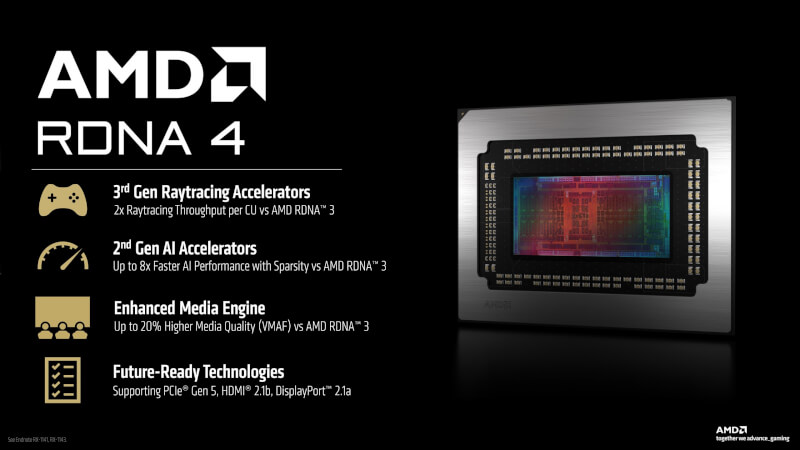
RDNA 4 comes with a number of improvements, such as AMD's third-generation Ray Tracing Accelerators, which provide significantly better performance in Ray Tracing games.
At the same time, the RX 9000 series has also seen a leap forward in AMD's software capabilities. The new, stronger hardware in the Gigabyte RX 9070 XT Gaming OC and Gigabyte RX 9060 XT Gaming OC means that both cards have the ability to take advantage of the new FSR 4 upscaling technology.
With FSR 4, supported titles such as Cyberpunk 2077, Space Marine 2 and close to 100 other games can enjoy a significant boost to FPS results in the games.

This means that you can look forward to taking advantage of the features of a gaming monitor like the Gigabyte MO27Q2A. The ability to take advantage of the 280 Hz refresh rate, even in modern games, unlocks a premium gaming experience.
As we saw in our review of the Gigabyte RX 9070 XT Gaming OC and Gigabyte RX 9060 XT Gaming OC, we saw FPS results in both Cyberpunk 2077 and Space Marine 2 of over 200 FPS in several cases.
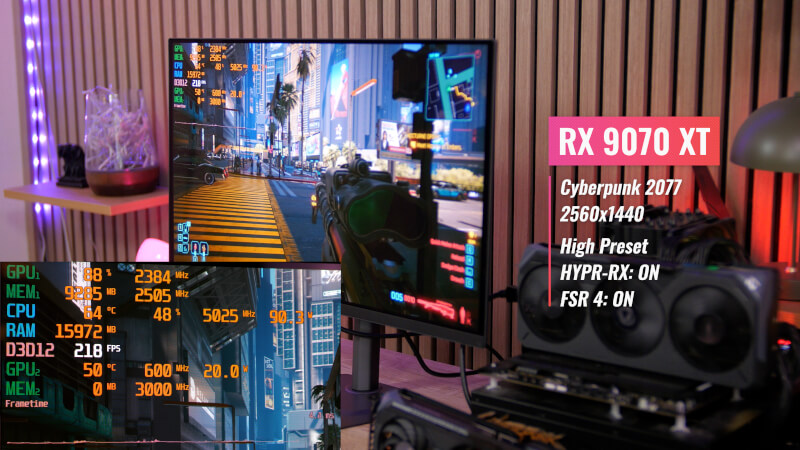
The Gigabyte MO27Q2A is the perfect partner for 1440p gaming, and paired with the AMD RX 9000 series of graphics cards, you are ready to make the most of the latest technologies from AMD to create a great gaming experience.
All of this is packed into a gaming monitor that comes with Gigabyte's AI OLED Care, which minimizes the risk of burn-in issues that can be a problem with some OLED displays. With that in mind, Gigabyte is also offering a three-year warranty on the Gigabyte MO27Q2A monitor.
Read more about Gigabyte MO27Q2A here.